What Is Intelligent Document Processing? How AI Turns Unstructured Documents into Business-Ready Data
Discover how Intelligent Document Processing uses AI to extract data from invoices, contracts, and unstructured documents, reducing manual work and improving business efficiency.


How Can AI Make Document Processing Easier?
Every business deals with documents. Invoices arrive through email, contracts are shared as PDFs, customer information is collected through forms, and important records are stored across different systems.
These documents contain valuable information, but accessing that information is not always easy.
Employees often spend hours opening files, reading details, copying information, checking for mistakes, and entering data into business applications. When hundreds or thousands of documents arrive regularly, these tasks become difficult to manage.
The challenge is not simply the number of documents. It is the way information is presented.
A supplier invoice may contain a different layout from another supplier's invoice. A customer's application may arrive as a scanned image, while a contract may contain several pages of paragraphs, tables, and signatures.
Traditional software often struggles to understand these differences without predefined rules.
This is where Intelligent Document Processing (IDP) can help.
IDP uses artificial intelligence and automation to identify, extract, organize, and validate information from different types of documents.
Instead of manually entering every detail, businesses can use AI-powered systems to turn document content into structured information that supports everyday operations.
From finance and healthcare to logistics and customer service, intelligent document processing is changing how organizations manage information.
Let's explore how it works, why businesses use it, and what to consider before implementing it.
What Is Intelligent Document Processing?

Intelligent Document Processing, commonly called IDP, is a technology-driven approach to extracting and organizing information from documents.
It combines technologies such as artificial intelligence, machine learning, optical character recognition, and document automation.
The purpose is simple: turn information inside documents into data that business systems can use.
For example, imagine a company receives an invoice containing:
Supplier name
Invoice number
Invoice date
Product details
Payment information
Total amount
An employee would traditionally read the invoice and enter these details into an accounting system.
With intelligent document processing, software can identify the document, extract the required information, check selected details, and prepare the data for the next business process.
The information can then be reviewed, approved, or transferred into another application according to the company's workflow.
IDP is not limited to invoices.
Businesses can use it for purchase orders, contracts, insurance claims, shipping documents, application forms, financial statements, and many other records.
Unlike basic text recognition, intelligent document processing focuses on understanding which information matters and how it should be organized.
However, IDP does not guarantee that every document will be processed correctly. Results depend on document quality, model capabilities, configuration, and appropriate validation.
What Are Unstructured Documents?
Business documents do not always follow a fixed format.
Some contain clearly organized tables and fields. Others contain paragraphs, images, handwritten notes, or combinations of different layouts.
Documents are commonly described as structured, semi-structured, or unstructured.
Structured data follows a predictable format.
For example, a database may store customer names, order numbers, and transaction dates in separate columns.
Software can easily identify these fields because their positions and meanings are defined.
Semi-structured documents contain recognizable information but may use different layouts.
Invoices are a common example. Most invoices include similar details, but suppliers may place those details in different locations.
Unstructured documents contain information without a consistent data structure.
Examples include contracts, business correspondence, reports, and lengthy written documents.
A contract may contain payment conditions in one paragraph and termination requirements on several pages later.
A traditional data entry system cannot easily determine which sections contain the information needed for a specific business process.
Intelligent document processing helps bridge this gap by recognizing content and converting relevant details into structured outputs.
This makes information easier to search, analyze, and transfer between systems.
How Does Intelligent Document Processing Work?
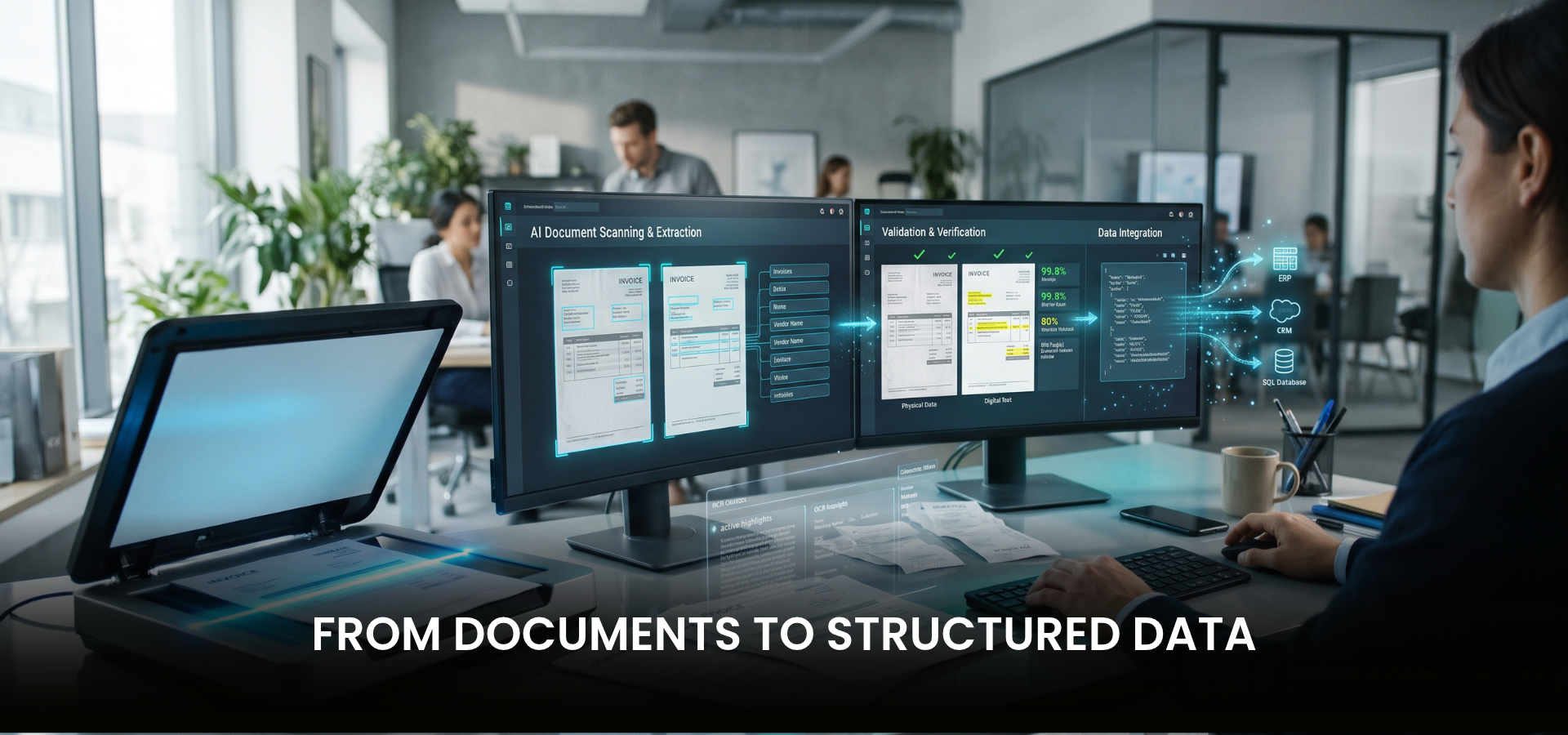
Intelligent document processing usually follows several connected steps.
Although individual platforms work differently, the overall process is designed to move documents from collection to usable business information.
Step 1: Collect Documents
The process begins when documents enter the organization.
Files may arrive through email, customer portals, scanners, cloud storage, or business applications.
An IDP system can collect documents from these sources and prepare them for processing.
For example, a finance department may receive invoices through a shared email inbox.
Instead of downloading each attachment manually, an automated workflow can collect supported files and send them for processing.
Step 2: Read the Content
Once a document is collected, the system identifies the text and other relevant content.
Optical Character Recognition, or OCR, can convert text in scanned images into machine-readable characters.
For digital documents, software may extract text directly from the file.
More advanced systems can also analyze document layouts, tables, and relationships between text elements.
Step 3: Identify the Document
The system determines what type of document it is processed.
It may classify a file as an invoice, purchase order, contract, receipt, or application form.
Document classification helps select the appropriate extraction and validation rules.
For example, an invoice may require supplier details and payment amounts, while a contract may require party names, dates, and specific clauses.
Step 4: Extract Important Information
AI models identify relevant fields and extract their values.
For an invoice, these might include the invoice number, date, supplier, tax details, and total amount.
For a shipping document, the system may identify shipment references, destinations, and delivery information.
Some platforms can also extract tables and individual line items.
Step 5: Check the Information
Extracted information may contain errors or missing values.
Validation helps identify these problems.
The system may check required fields, compare information with business records, or flag unusual values.
Documents that cannot be processed confidently may be sent to employees for review.
Step 6: Send Data to Business Systems
Once the information is validated and approved, it can be transferred into applications such as ERP, CRM, accounting, or document management systems.
This allows the extracted information to support actual business workflows instead of remaining isolated inside a document.
What Is the Difference Between OCR and IDP?
OCR and IDP are related technologies, but they perform different functions.
OCR focuses on recognizing text. IDP focuses on turning document content into useful business information.
Imagine a scanned invoice.
OCR may identify the words and numbers printed on the page.
However, recognizing the number "5,000" does not automatically explain whether it represents an invoice total, a quantity, or a payment reference.
Intelligent document processing uses additional techniques to interpret the content and identify relevant fields.
It may recognize that a number beside "Total Amount" represents the invoice value.
It may also identify the supplier, invoice date, and individual line items.
OCR | Intelligent Document Processing |
Converts images of text into machine-readable text | Extracts and organizes business information |
Primarily recognizes characters and words | Uses document context, layout, and field identification |
Often requires additional rules for interpretation | Can use AI models for classification and extraction |
Produces text output | Produces structured data for business workflows |
Useful for digitizing scanned documents | Useful for automating document-based processes |
OCR remains an important part of many IDP systems.
The difference is that intelligent document processing combines text recognition with additional capabilities to make the information actionable.
Why Do Businesses Need Document Automation?
Manual document processing may appear manageable when a business handles only a few files.
However, the workload increases as operations grow.
A finance department may receive hundreds of invoices from different suppliers. A logistics company may process delivery notes and shipping records every day. A customer service team may receive forms, identification documents, and supporting attachments.
Each document requires attention.
Employees must locate the right information, enter it into a system, and verify that the details are correct.
Several challenges can emerge.
Too Much Manual Data Entry
Repeatedly copying information from documents into software consumes employee time.
It can also create inconsistencies when different employees follow different procedures.
Human Errors
Manual entry can introduce mistakes, including incorrect reference numbers, missing fields, and duplicated records.
Even small errors may create additional work when they affect payments, approvals, or reporting.
Slow Processing
Documents often move through multiple departments before a process is completed.
When information must be entered and checked manually, the workflow can become slower.
Limited Visibility
Important information may remain inside PDFs, email attachments, or scanned records.
This makes it difficult for employees to search for specific details or understand the status of a document.
Growing Operational Costs
As document volumes increase, businesses may need additional administrative effort to maintain the same processing speed.
Document automation can help address these challenges by reducing repetitive work and improving the flow of information.
What Are the Benefits of Intelligent Document Processing?
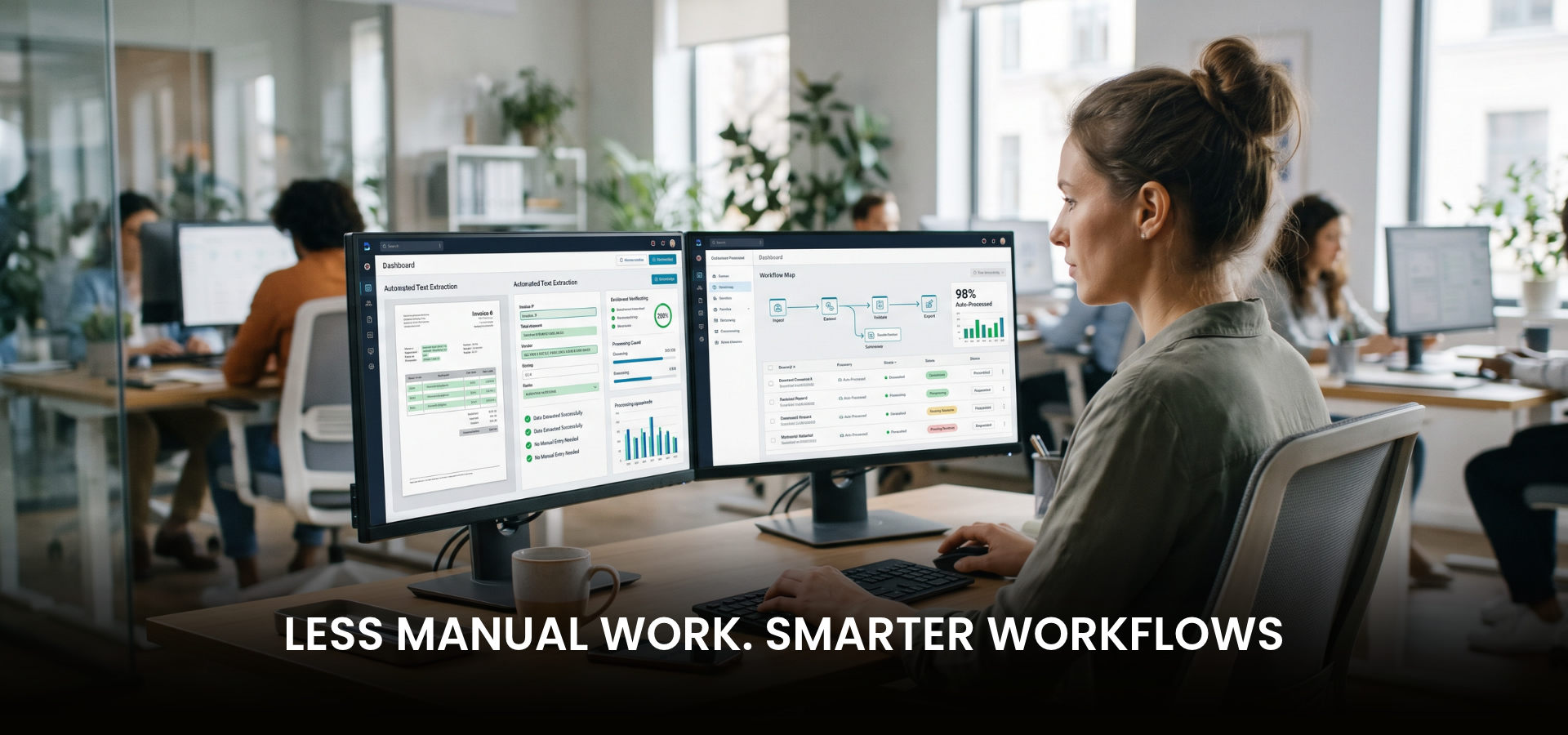
Intelligent document processing can offer several practical advantages when implemented appropriately.
Faster Document Processing
IDP can automate parts of document reading, classification, and extraction.
This reduces the need to handle every field manually.
Employees can focus more attention on exceptions and documents requiring judgment.
Better Data Accuracy
Automated extraction combined with validation rules can reduce certain manual entry errors.
However, accuracy depends on the quality of the documents and the effectiveness of the system.
Human review remains important for uncertain or high-impact information.
Less Repetitive Work
Employees do not need to repeatedly copy the same types of information from documents into applications.
This can make administrative workflows easier to manage.
Improved Information Access
Structured data is easier to search, filter, and use in business reports.
For example, finance teams can organize invoice records by supplier, date, or approval status.
Easier Business Integration
Extracted information can be connected to existing enterprise systems.
This helps organizations reduce disconnected workflows between document storage and operational software.
Better Scalability
A well-designed IDP system can support growing document volumes without requiring every additional document to be processed entirely by hand.
However, businesses still need to consider infrastructure, licensing, exception handling, and maintenance requirements.
The value of IDP comes from improving the overall process, not simply extracting text faster.
How Does AI Process Invoices?
Invoice processing is one of the most common applications of intelligent document processing.
Businesses regularly receive invoices from suppliers, service providers, and contractors.
These documents may arrive in different formats and layouts.
A traditional workflow often involves opening the invoice, identifying important details, entering information into accounting software, and sending it for approval.
An AI-powered workflow can automate several of these activities.
For example, when an invoice arrives, the system may:
Identify the attachment as an invoice.
Extract the supplier's name and invoice number.
Capture dates, amounts, and line-item details.
Check whether required fields are present.
Compare selected information with purchase order records.
Flag discrepancies for employee review.
Prepare validated information for the accounting system.
This approach can help finance teams reduce repetitive data entry and organize invoice approvals.
It can also improve visibility into which invoices have been received, processed, or flagged for review.
However, automated extraction should not be treated as automatic authorization for payment.
Financial controls, approval requirements, and fraud prevention procedures must remain part of the workflow.
Can AI Read Contracts and Business Documents?
Yes. AI-powered document processing can help information extraction from contracts and other text-heavy business records.
Contracts often contain important information spread across multiple pages.
Employees may need to identify agreement dates, payment conditions, renewal periods, responsibilities, and termination clauses.
Finding these details manually can take time, especially when an organization manages a large collection of agreements.
Intelligent document processing can help identify relevant sections and extract selected information.
For example, a contract processing system may organize:
Contract parties
Agreement dates
Renewal information
Payment terms
Notice periods
Relevant obligations
The extracted information can support contract search, reporting, and administrative workflows.
AI can also help identify documents that require further review.
However, legal language can be complex, and automated extraction may misinterpret clauses or overlook important qualifications.
For this reason, legal review remains essential when interpreting contractual obligations or making significant decisions.
IDP is most useful as a tool for organizing and retrieving information, rather than replacing professional legal judgment.
Where Is Intelligent Document Processing Used?
Intelligent document processing is useful across industries because most organizations depend on document-based information.
Finance and Accounting
Finance teams can use IDP to extract information from invoices, receipts, expense claims, and financial records.
This can support accounts for payable workflows, expense processing, and record organization.
Healthcare
Healthcare organizations manage forms, administrative records, insurance documents, and other paperwork.
IDP can help organize selected information and reduce administrative data entry.
Because healthcare documents may contain sensitive information, implementations require appropriate privacy, security, and access controls.
Logistics and Supply Chain
Logistics businesses handle purchase orders, delivery notes, shipping instructions, and transport documents.
Intelligent document processing can help capture shipment of references, addresses, order details, and other information needed for operational systems.
Banking and Financial Services
Financial institutions process application forms, supporting documents, statements, and compliance-related records.
IDP can assist with document classification, information extraction, and preparation for verification of workflows.
Human Resources
HR teams manage employee forms, onboard documents, and other administrative records.
Document processing software can help organize information and reduce repeated manual entry.
Retail and E-Commerce
Retail businesses may use IDP for supplier invoices, purchase orders, returns documentation, and inventory-related paperwork.
The technology can help connect document information with accounting, purchasing, and operational systems.
Across these industries, the objective is similar: make document information easier to access and use.
How Does IDP Work with Business Software?
Extracting information is only one part of document automation.
For businesses to benefit fully, the information must reach the applications where employees perform their work.
An IDP platform may integrate with systems such as:
Enterprise Resource Planning (ERP)
Customer Relationship Management (CRM)
Accounting software
Document Management Systems (DMS)
Human Resources Management Systems (HRMS)
Workflow and approval platforms
Consider a company that receives purchase invoices.
The IDP system extracts invoice information and validates the required fields.
Once the data is approved, an integration can transfer the relevant details into the company's ERP system.
The ERP system can then support established accounting and approval of workflows.
Similarly, customer application information can be extracted and prepared for a CRM system.
The exact integration depends on the applications, available APIs, data formats, security requirements, and business rules.
This is why successful intelligent document processing often requires more than selecting an AI model.
Organizations also need reliable software integration and clearly defined workflows.
Is Intelligent Document Processing Accurate?
Intelligent document processing can achieve useful levels of accuracy, but no system should be assumed to work perfectly with every document.
Performance varies according to several factors.
Document quality: Blurry scans, missing pages, poor lighting, and low-resolution images can affect extraction.
Document complexity: unusual layouts, handwritten notes, nested tables, and dense text may be more difficult to process.
Model capabilities: Different models support different document types, languages, and extraction requirements.
Business rules: Clear validation requirements help identify missing or inconsistent information.
Training and configuration: Some systems require examples, field definitions, or ongoing adjustments.
For important business processes, organizations should test IDP systems using representative documents.
They should also measure field-level accuracy, exception rates, and the amount of human review required.
A system that extracts simple invoices accurately may not perform equally well on complex contracts or handwritten forms.
Businesses should evaluate performance against their own documents rather than relying only on general product claims.
What Are the Challenges of IDP?
Although intelligent document processing offers useful capabilities, implementation involves several challenges.
Different Document Formats
Organizations often receive documents from many sources.
Layouts, languages, image quality, and formatting can vary significantly.
An IDP system must be tested against these variations.
Missing or Incorrect Information
Some documents contain incomplete fields or inconsistent details.
AI cannot reliably recover information that is absent from the source.
Validation and exception handling are therefore essential.
Data Privacy and Security
Documents may contain financial records, personal information, confidential agreements, or sensitive business data.
Organizations must evaluate how documents are stored, processed, transmitted, and accessed.
Integration Requirements
Document extraction is less useful when employees still need to manually transfer the results into other systems.
Connecting IDP with existing software may require development and process changes.
Employee Adoption
Employees need to understand how automated processing works and when manual review is required.
Clear procedures and training can improve adoption.
Ongoing Monitoring
Document formats and business requirements change over time.
Organizations should regularly review extraction quality, system performance, and processing exceptions.
Addressing these challenges helps businesses develop more reliable document automation workflows.
How Do You Choose an IDP Solution?
Choosing an intelligent document processing solution begins with understanding the documents and processes that need improvement.
Businesses should avoid selecting a platform based only on the number of AI features it offers.
Instead, they should evaluate whether it can solve their specific operational problems.
Start by identifying the document types that consume the most employee time.
These may include invoices, contracts, customer forms, or shipping records.
Next, determine which information needs to be extracted.
Some processes require only a few fields, while others require detailed tables, document classification, and cross-system validation.
Organizations should also consider whether the platform supports their existing software.
Important questions include:
Can it process the document formats we receive?
Can it extract the fields our teams actually need?
How does it handle missing or uncertain information?
Can employees review and correct extracted data?
Does it integrate with our business applications?
What security and access controls are available?
How will we measure processing performance?
A small pilot project can help answer these questions before a wider rollout.
Testing real-world document variations is especially important.
The best solution is not necessarily the most complex one. It is the system that reliably supports the required workflow.
Can Small Businesses Use Intelligent Document Processing?
Intelligent document processing is not limited to large enterprises.
Small and growing businesses also handle repetitive documents.
A small accounting team may process supplier invoices every week. A logistics business may receive delivery documents from multiple partners. A service company may collect customer forms and agreements.
Even when document volumes are moderate, manual processing can create unnecessary work.
Smaller organizations can begin with a focused use case.
For example, a business may automate the extraction of supplier invoice details before expanding purchase orders or expense records.
This approach allows the organization to evaluate practical benefits without immediately changing every document-related workflow.
Businesses should consider document volumes, implementation costs, software subscriptions, and the time required for review.
Not every process needs advanced AI.
Simple forms with consistent layouts may be handled adequately through conventional automation.
Intelligent document processing becomes especially useful when documents vary in structure, and traditional rules become difficult to maintain.
What Is the Future of Document Processing?
Document processing technology continues to develop as AI models become more capable of understanding text, layouts, tables, and document context.
Future systems are likely to place greater emphasis on combining information extraction with workflow intelligence.
Instead of simply capturing document fields, systems may help identify inconsistencies, summarize relevant information, and prepare actions for employee approval.
For example, an AI-assisted invoice workflow could identify an unexpected supplier for detail and request verification.
A contract processing system could highlight selected clauses for legal review.
A logistics document workflow could identify missing shipment information before the record enters an operational system.
Multimodal AI may also improve how systems work with documents containing text, images, tables, and other visual elements.
However, more advanced capabilities also introduce challenges.
Businesses must continue to evaluate accuracy, explainability, privacy, cybersecurity, and appropriate human oversight.
The direction of document processing is not simply toward removing people from every workflow.
It is toward reducing repetitive work while helping employees make better informed decisions.
How Can Approlabs Help with Document Automation?
Businesses often need to document processing systems that work with their AI-powered data extraction workflows in existing applications and operational processes.
A standalone extraction tool may not be sufficient when documents must move through approvals, accounting systems, customer databases, or enterprise workflows.
This is where custom software development and system integration have become important.
Approlabs can be considered for software development and integration requirements associated with intelligent document processing initiatives.
Depending on the project, these requirements may include:
Custom document processing applications
Document classification and validation interfaces
ERP and CRM integration
Centralized dashboards and reporting
Secure document handling and access controls
For example, a business may need a workflow that collects invoices from email, extracts required information, flags exceptions, and prepares approved records for its accounting platform.
Another organization may require a document management application that makes extracted contract information searchable.
The right solution depends on the organization's document types, business rules, security requirements, and existing software environment.
By combining document processing technologies with appropriate integration and validation, businesses can create more connected and efficient workflows.
Conclusion
Businesses depend on documents, but the information inside them is not always easy to use.
Invoices, contracts, forms, and operational records often arrive in different formats, making manual processing time-consuming and difficult to scale.
Intelligent Document Processing helps turn document content into structured, business-ready data.
By combining OCR, artificial intelligence, document classification, data extraction, and validation, IDP can reduce repetitive administrative work and improve access to important information.
Its value extends beyond reading documents.
When connected with ERP, CRM, accounting, and workflow systems, extracted information can support everyday business operations.
However, successful implementation requires accurate extraction, appropriate validation, secure handling, and effective integration.
For organizations exploring AI-powered document automation solutions, the goal should be to make information easier to manage and employees more effective.
READY TO MAKE DOCUMENT PROCESSING SMARTER?
Connect with Approlabs to explore AI-powered document automation solutions.
AUTHOR

Marketing team.